Help › Reminders Free
Writing RemindersA nudge, only when you need one.
Set writing reminders for a time of day. Still short of your goal when it comes round? You get a nudge saying how far you have to go. Already there? Silence.
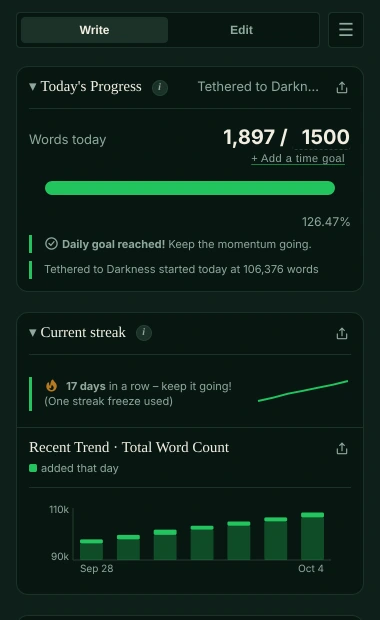
How writing reminders work
In Settings → Writing Reminders, click + Add Reminder. Each one starts at 09:00: change the time, or remove it with ×. Up to three a day.
When the time comes and the goal isn’t met, a notification tells you the words still to go: “You haven’t started writing today yet”, with your goal, or how many words are left and how far you are. It costs nothing.
With a time goal (Pro) it gives the minutes too, “350 words or 15 minutes left”, and stays quiet once either is reached.
Send test reminder now runs the same check straight away, and tells you what happened: sent, notifications blocked, Focus Mode on, tracking off, or goal already met. A test still sends one when your goal is met, so you can see that notifications work.
Which document it looks at
The reminder checks every document that isn’t in a manuscript, and goes by the one closest to its goal. Wrote 2,000 words in your novel, then glanced at a note? No “you haven’t started”. (The desktop app goes by the document you tracked last.)
In Google Docs, the extension asks Google for the document’s word count when the reminder goes off, so words you wrote on your phone count. In other editors it uses the last count Falcontext took.
The panel doesn’t need to be open. In the desktop app, closing the window keeps Falcontext running in the menu bar or the tray, reminders and all.
Manuscripts have their own
These reminders cover documents that aren’t in a manuscript. Each manuscript has its own reminders, up to three: All Manuscripts → Edit. They count today’s words across all its documents, against the manuscript’s own daily goal.
When they pause
- While the Write tab is hidden (Tracking, in Settings).
- While you’re in Focus Mode.
- Plan
- Free No sign-up, no time limit.
- Works in
- The browser extension and the desktop app. Not Perch, the web app: a reminder at a set time would need a server, and Falcontext doesn’t have one.
Questions about writing reminders.
How many writing reminders can I set?
Up to three a day for your documents, and each manuscript can have its own.
Does Falcontext remind me if I’ve already written?
No. Hit the goal first (your words, or your minutes with a time goal in Pro) and the reminder stays quiet.
Related
Your next chapter starts today.
Set a goal, open your draft and let the checks look over your shoulder.
Add to Chrome – it's freeOr get the desktop app or Perch, the web app.
Free forever plan · No sign-up · Pro from $1.99/month with a free trial