Falcontext appsThree ways in. One Falcontext.
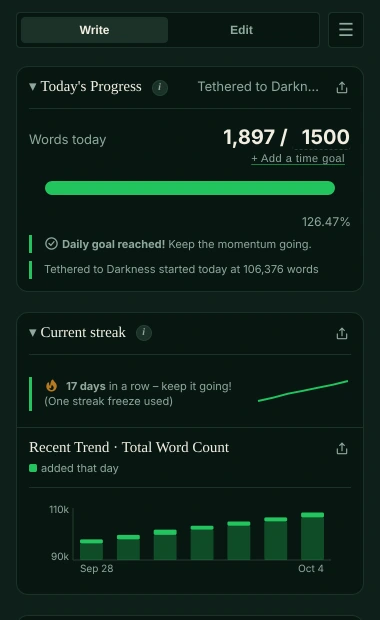
A browser extension, a desktop app and a web app, Falcontext Perch, with the same goals, streaks and checks in each. One license covers all three, and your progress can follow you between them through your own Google Drive.
Google Docs, Atticus and the web
A sidebar right next to your draft, in Chrome, Edge, Brave, Arc or Firefox.
Add to Chrome – it's freeScrivener, Word and Pages
A window beside your draft, on Mac and Windows. LibreOffice Writer too; Pages and Vellum on the Mac.
Download for Mac or WindowsPhones, tablets, any browser
Nothing to install: it counts your Google Docs on any device and has a writing pad of its own.
About PerchNot sure which? Go by where you write: every editor, and which app tracks it.
Which one is for you.
| Browser extension | Desktop app | Perch | |
|---|---|---|---|
| You write in | Google Docs, Atticus, WordPress, Ellipsus, other web editors | Scrivener, Word, LibreOffice Writer; Pages and Vellum on the Mac | Its own writing pad; your Google Docs |
| On | A computer: Chrome, Edge, Brave, Arc or Firefox | Mac and Windows | Any phone, tablet or computer |
| Get it | Chrome Web Store, Firefox Add-ons | A download from this site | Nothing to install |
| Fix in your text | Yes | No: fix findings by hand | In the writing pad |
In all three: your writing is never sent anywhere, and no AI is used on your writing in any way.
Learn more.
How each feature works, and the checks writers start with.
How it works
Checks writers start with
Your next chapter starts today.
Set a goal, open your draft and watch the words add up.
Open Perch – it’s freeOr get the browser extension or the desktop app.
Free forever plan · No sign-up · Pro from $1.99/month with a free trial