Word count tracker for LibreOffice WriterYour words, in open formats. Your book, mapped and checked.
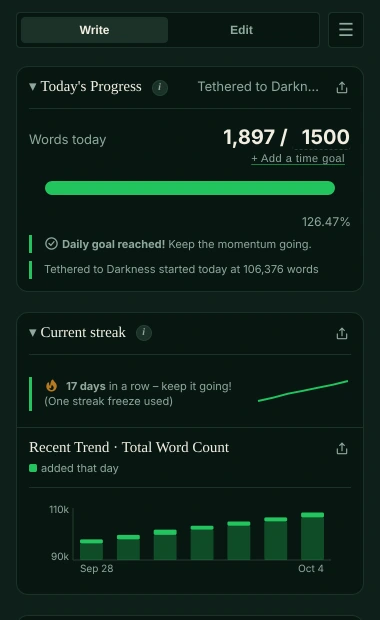
Write in LibreOffice Writer, open formats and all. Falcontext keeps your LibreOffice word count by the day, beside it: today’s words, your goal, your streak and a finish date. Nothing uploaded, nothing changed.
Mac (macOS 10.13 or later, Apple silicon or Intel) or Windows 10 and 11, 64-bit.
How to see the word count in LibreOffice Writer.
Writer shows its count in two places:
-
The LibreOffice word count in the status bar
Words and characters sit in the status bar along the bottom. Highlight a passage and the bar shows its count as well.
-
Tools → Word Count
A small window with the selection and the whole document, words and characters.
That’s the whole document, though. Not what you wrote today.
What Falcontext adds to LibreOffice Writer.
LibreOffice Writer gives you
- Words and characters for the whole file (status bar, or Tools → Word Count)
- The Navigator, if you use heading styles
- A spell checker and a grammar checker
Falcontext adds
- The day, not just the document. Writer’s status bar counts the whole document. Falcontext counts what you added since this morning, keeps your daily goal and works out a finish date.
- Navigator headings, measured. Give your chapter titles Writer’s heading styles and Bird’s Eye turns them into an outline: every chapter’s length, next to your target.
- Open formats, left alone. .odt and flat .fodt files are read to count them and never changed. No account, no upload, no cloud copy.
- Fiction checks, on your computer. Tense and point-of-view slips, dialogue tags, filter words, clichés, homophones and more: rule-based checks, many of them free, worked out on your own machine.
- Your characters, tracked. Who’s in which chapter, and who’s been missing too long.
- Every project, one history. Writer documents, Word files, Scrivener projects and Google Docs share one streak and one record of your days; a book in several files can be one manuscript (Pro).
- Focus mode. Switches Writer into its distraction-free view, with today’s count in a small badge (Pro).
Falcontext reads your .odt to count it, on your own computer, and never writes to it. Your writing is never sent anywhere, and no AI is used on your writing in any way. How your data is handled.
Tracking your daily LibreOffice word count.
A few minutes, once. Then just write.
-
Download Falcontext for Mac or Windows
Free. New versions arrive by themselves.
Download – it’s free -
Add your Writer document
Choose Add…: pick a document from your recent ones, browse for another, or drag the file in.
-
Tell it what you’re aiming for
Words a day, and words in total: type yours over the number after each slash.
-
Then just write
Whenever Writer saves, Falcontext counts. Its window can be closed; the counting carries on.
Good to know.
- Which files: Writer documents (.odt, and the flat .fodt).
- Chapters: give chapter titles a Heading style and they turn up in Bird’s Eye.
- On Linux? The desktop app is for Mac and Windows for now. The writing pad in Falcontext Perch, the web app, works in any browser.
- More than one computer? Sync keeps your streak, history and goals the same in the desktop app, the extension and Perch, the web app, through your own Google Drive.
- The desktop app also tracks Scrivener, Microsoft Word and, on the Mac, Apple Pages.
Learn more.
Everything here works in LibreOffice Writer too.
How it works
Checks writers start with
Your next chapter starts today.
Set a goal, open your draft and watch the words add up.
Download for Mac or WindowsOr see every editor Falcontext works with.
Free forever plan · No sign-up · Pro from $1.99/month with a free trial