Help › Troubleshooting Free
TroubleshootingNot counting? Here’s why.
What Falcontext’s messages mean, and what to do: in your browser, in Google Docs, in the desktop app, and with your license key and sync.
Each heading below is what Falcontext says when something’s in the way, and what to do about it.
“Click the toolbar icon”
Your browser only shares a page with Falcontext when you click its icon on that page: nothing is read otherwise, and access ends when the page reloads. Click the falcon icon while you’re on your draft, and it counts.
In Google Docs, Ellipsus and Atticus it can keep counting on its own: turn on Count without opening Falcontext in Settings and tick the site. Your browser asks you to allow it once. Then it counts the documents you’ve counted before, even with Falcontext closed or after the page reloads, so no writing day goes missing.
“No document here” or “Open a document tab”
There’s nothing to count on this page: open a chapter or document in your editor first. Your browser’s own pages, like its settings, can’t be counted.
“Can’t read this page”
Click Retry. If it’s still there, reload the page and click the falcon icon again. Still stuck? Tell me which editor and which browser: support@falcontext.com.
Google Docs: “Needs your OK”
Falcontext only reads the Google Docs you allow. Click Allow this document: Google’s file picker opens on it. Click the document, then Select, and it’s counted from then on. Several of your tracked Docs waiting? The second button allows them all at once.
Google Docs: “Sign-in needed”
Click Retry and Google’s sign-in opens. On Google’s page, tick every box it shows for Falcontext: if one is left unticked, Falcontext can’t read your document.
Today says 0, but I wrote
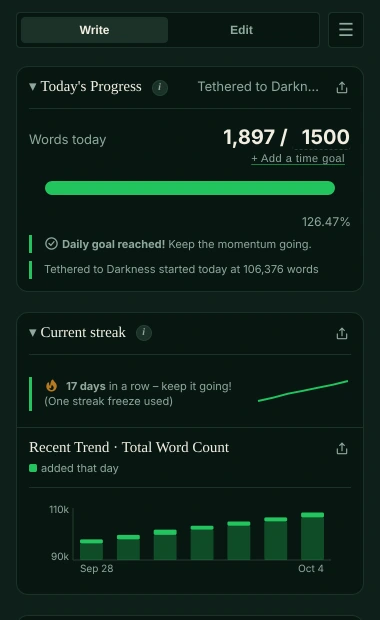
The first time Falcontext counts a document, its words are the starting point: the words already there aren’t counted as written today, only what you add from then on. The same goes for the other tabs of a Google Doc with tabs, the first time they’re counted.
Today never goes below 0. If you cut a scene and pasted it into another document, the first one lost words today; in a manuscript the two are counted together.
Missed a day? One missed day doesn’t break your streak; two in a row do.
The desktop app
- “Couldn’t find” your file: you moved or renamed it. Remove it in Falcontext and add it again.
- “isn’t a Scrivener project, Word or Pages document Falcontext can read”: it reads Scrivener projects, Word (.docx), LibreOffice Writer (.odt) and, on the Mac, Pages documents.
- Pages: the document has to be open in Pages to be counted. If the Mac asks, allow Falcontext under System Settings → Privacy & Security → Automation. A page-layout document has no body text to count.
- Focus Mode on the Mac: allow Falcontext under Privacy & Security → Accessibility (the badge has a button that opens it) and, if asked, to control System Events under Automation. On Windows there’s nothing to allow.
“Invalid license key”
The reason is in brackets. Copy the whole key again from the email Lemon Squeezy sent with your receipt. If it says the key has expired, the subscription has ended. If you’ve used up its activations on your own computers, email support@falcontext.com and the old ones are freed up. “Couldn’t reach the license server” means a connection problem: your plan is unchanged, so try again later. More in Pro and your license key.
Sync isn’t syncing
Use the same Google account on each device. For Google Drive sync, tick the box “See, create and delete its own configuration data in your Google Drive” on Google’s page, then Continue. If Settings says you’re signed out of Google, click Sign In to Google Again. More in Sync.
Quick answers.
Why does Falcontext ask me to click its icon again?
Your browser only lets Falcontext read a page after you click its icon there, and access ends when the page reloads. In Google Docs, Ellipsus and Atticus, turn on Count without opening Falcontext in Settings to skip that.
Why didn’t today count the words already in my document?
The first count of a document is its starting point. Only the words you add from then on are written today.
Who do I ask if this doesn’t help?
Me: support@falcontext.com. Say which editor, which browser or app, and what Falcontext shows.
Related
Your next chapter starts today.
Set a goal, open your draft and let the checks look over your shoulder.
Add to Chrome – it's freeOr get the desktop app or Perch, the web app.
Free forever plan · No sign-up · Pro from $1.99/month with a free trial